Replace Mindless Doomscrolling With Daily Scripture — Before Every Feed.
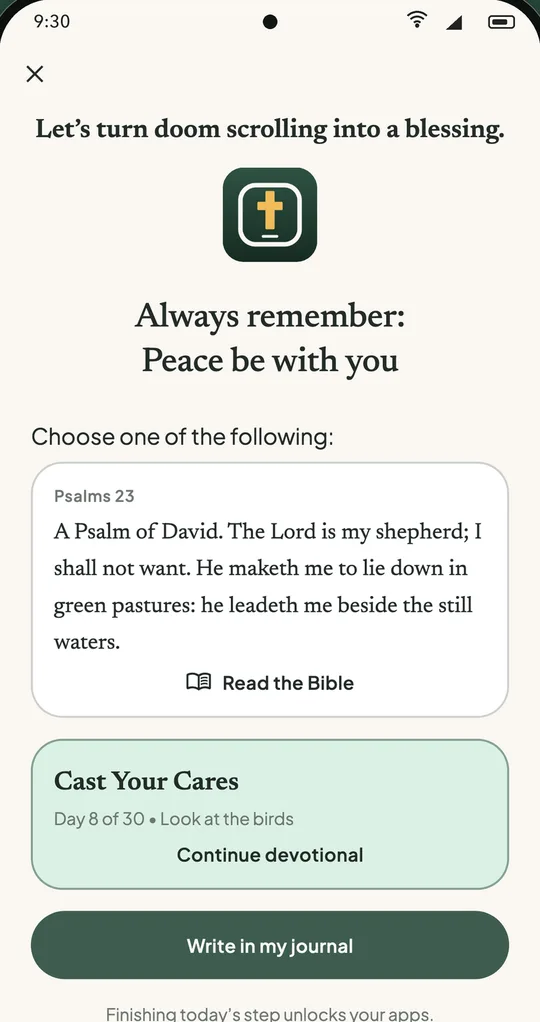
Every time your thumb reaches for social media, short videos or the news, Bible Screen steps in first with today's short step in God's Word. Finish it, and your apps unlock as usual.
Never trapped: need to reply to someone right now? Every gate has a 5-minute pause. Today's step keeps waiting for you.
Step complete
Your covered apps are unlocked
You Open Your Phone For 5 Minutes And Lose An Hour — While Your Bible Waits For "Later".
Apps are built to hold your attention and keep you coming back. You don't lack faith; you're up against feeds designed to never end, with nothing but willpower.
Picked Up on Autopilot
Before you've really woken up, your thumb is already in the feed. Most of those taps happen without a decision.
"Just a Quick Break"
One more video, one more headline, one more post. You meant to rest for a minute and come back to your day drained.
Quiet Time Pushed to "Later"
"I'll read my Bible tonight." But at night you're tired, the phone is still in your hand, and the reading slips to tomorrow again.
Why Willpower Fails vs Why The Gate Works
The gate changes the moment instead of asking you to try harder
Relying on Pure Willpower
You against an endless feed- ✕You have to remember to open a devotional app every day
- ✕Your hand opens social media before you've decided anything
- ✕Rigid blockers feel like a prison, so you end up deleting them
- ✕"I'll read later" turns into another day without the Word
Bible Screen Gate
Scripture where your hand already goes- ✓Less willpower needed: the step shows up the moment you open a covered app
- ✓Three ways in: read the Bible, continue your path or write in your journal
- ✓Grace, not punishment: finish the step and your apps open as usual
- ✓A 5-minute pause on every gate, so you never feel locked out
What Is Your Screen Time Actually Costing You?
Slide to your usual daily time in social media. Then see what one short step a day would give back.
Ready to reclaim your year?
Bible Screen turns the moment you reach for your phone into an invitation to reach for the Bible.
Simple arithmetic from the number you choose: hours × 365, and 5 minutes × 365 days. Not a promise of results.
How Bible Screen Works In 3 Seamless Steps
Choose your apps once. On iPhone it works through Apple's Screen Time; on Android through the Accessibility service, only to notice when a chosen app opens.
Choose Your Covered Apps
Pick the social media, video, news and game apps that eat your time. Everything else on your phone works as usual.
✓ Only the apps you pick
Scripture Steps In First
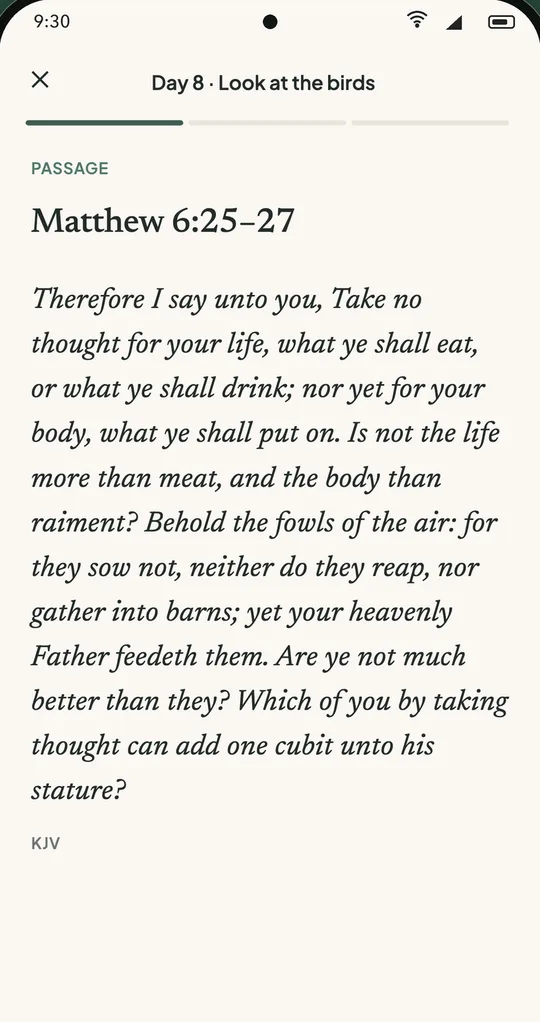
Open a covered app and today's step appears: a short Bible passage from your 30-day path, and a few questions you can answer or skip.
✓ Every question can be skipped
Unlock Guilt-Free
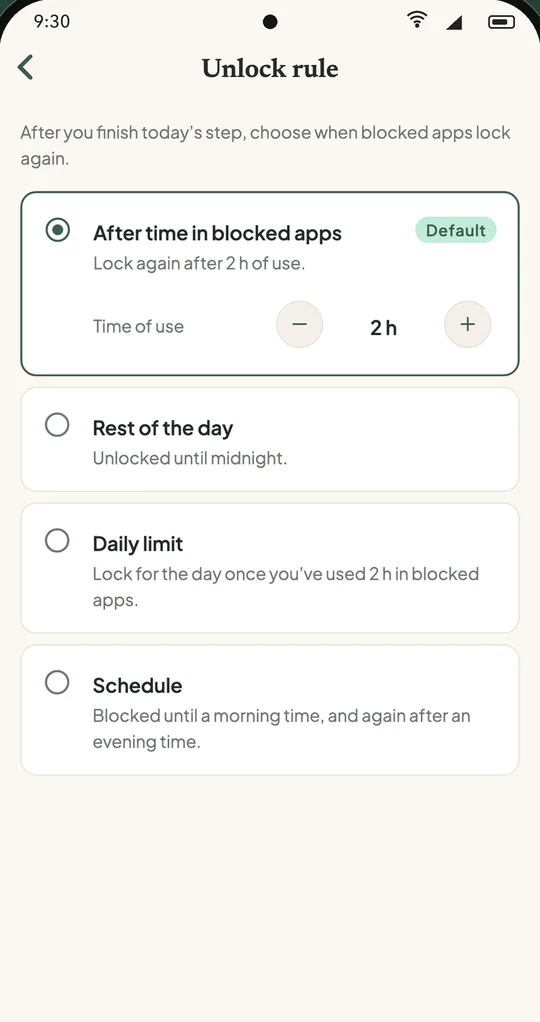
Finish the step and your apps open. By default they lock again after 2 hours of use — or choose rest of the day, a daily limit, or a schedule.
✓ You set the relock rule
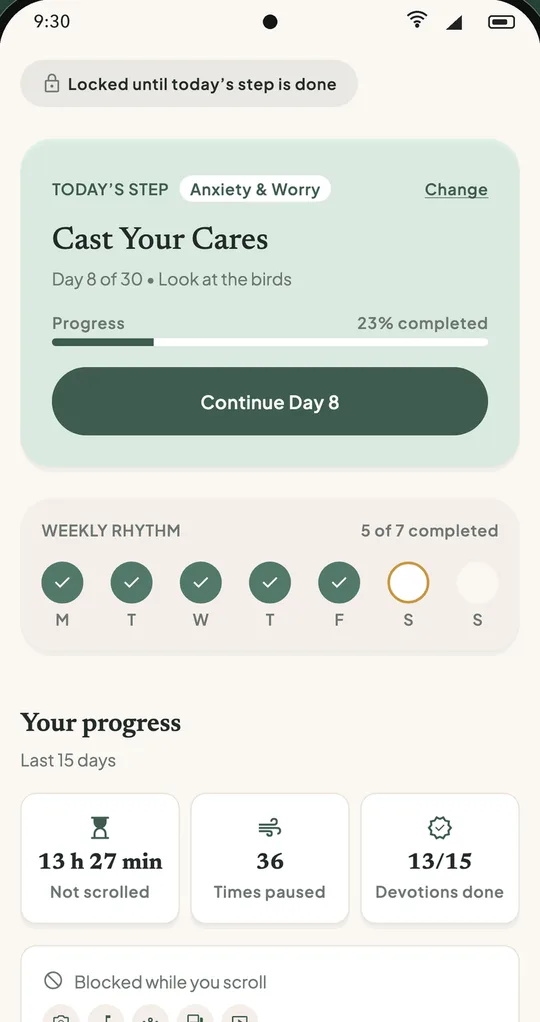
"Let's turn doom scrolling into a blessing."
That's the first line of the gate. Here's everything that comes after it.
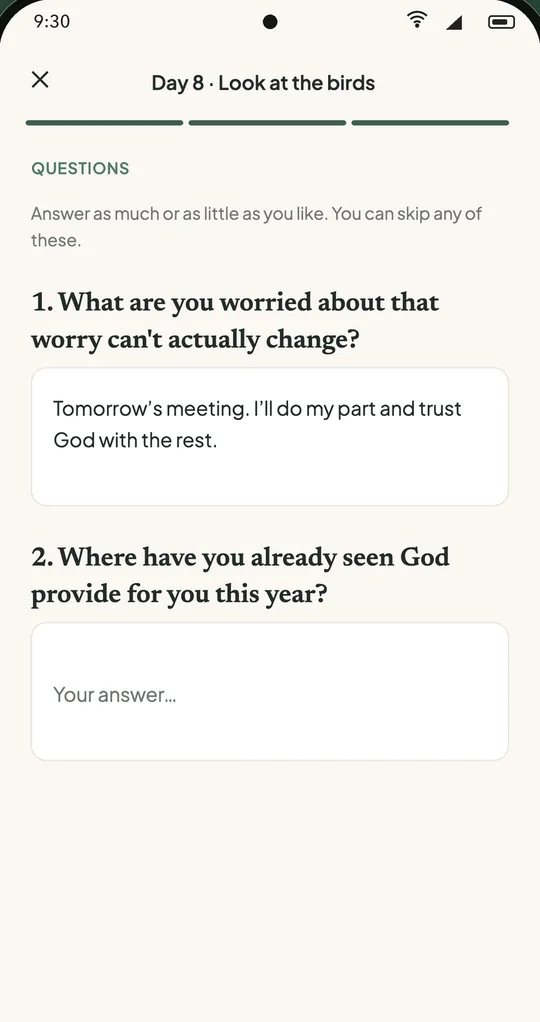
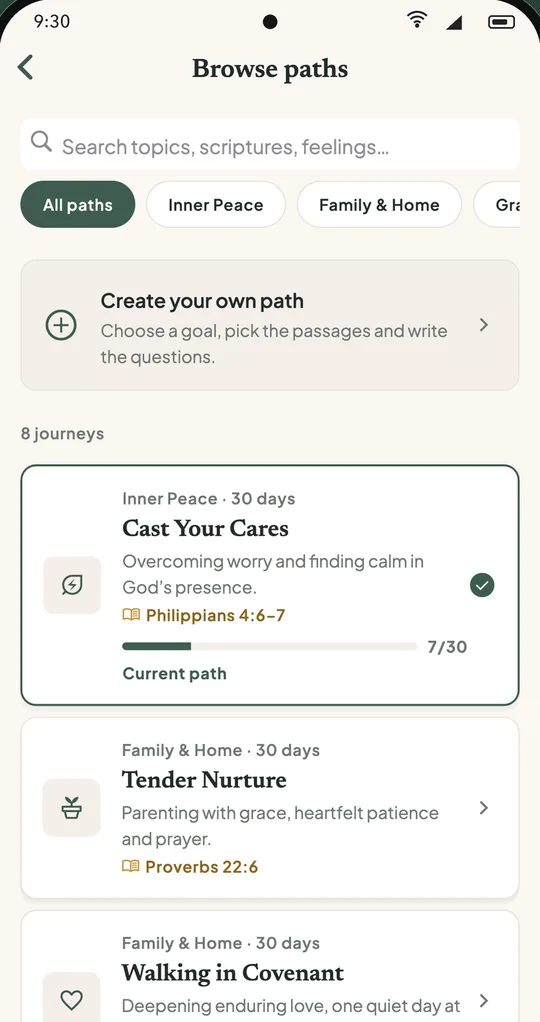
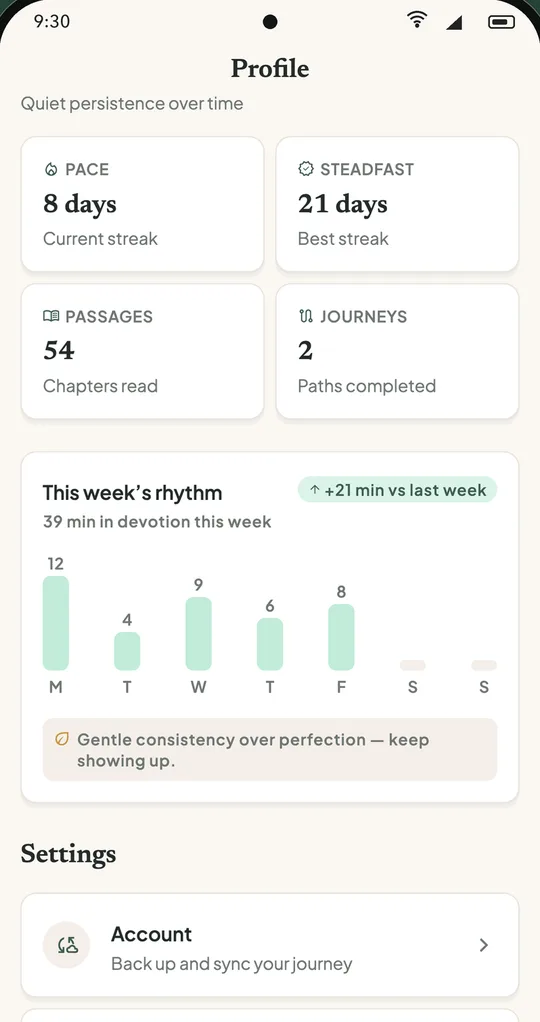
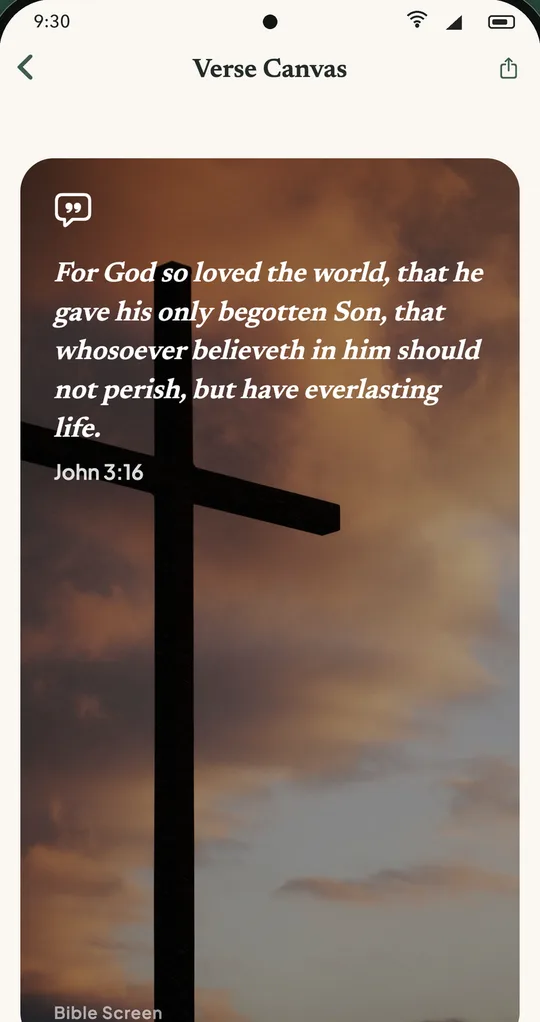
Swipe to see more →
Engineered With Grace, Not Punishment
Traditional blockers build walls you end up breaking. Bible Screen builds a moment with God you actually want to keep.
Selective Covering
Only the apps you choose wait for today's step. Calls, maps, banking and everything else stay open.
Your Relock Rule
Lock again after a set time of use (2 h by default), stay open for the rest of the day, set a daily limit, or follow a morning and evening schedule.
30-Day Topical Paths
Not random verses: structured journeys on anxiety, marriage, parenting, forgiveness, patience, provision, loneliness and purpose. Plus guided conversations.
Private Journal
Your answers, notes and prayers stay in your journal. An account is optional and only used to back up and sync. No ads.
Everything You Need To Know
How it works and what it sees, plainly.
Will this lock me out if I have an urgent message?↓
No. Only the apps you choose are covered, so anything you leave off works as usual. And every gate has a "Pause 5 minutes" option: tap it and the app opens right away. Today's step keeps waiting for you.
Does Bible Screen read my messages, passwords or what I type?↓
No. On iPhone it uses Apple's Screen Time. On Android it uses the Accessibility service for one purpose only: to notice when one of the apps you chose comes to the front. It does not read what is on your screen, your messages, your passwords or what you type, and the apps you open are not sent anywhere. The app asks for your agreement first, and you can turn it off any time.
Which Bible translations are included?↓
King James Version (KJV), American Standard Version (ASV) and World English Bible (WEB) in English, and Reina-Valera 1909 in Spanish. You can search, bookmark and favorite passages.
Can I choose when the apps lock again?↓
Yes. By default they lock again after 2 hours of use in covered apps, and you can change that time. You can also keep them open for the rest of the day, set a daily limit, or use a schedule (covered until a morning time and again after an evening time).
Do I need an account? Which languages?↓
No account is needed; it's optional and only used to back up and sync your journal. The app is in English, Portuguese and Spanish. The 30-day paths and guided conversations are in English for now.
Replace Scrolling With Sacred Stillness Today.
Less scrolling. More Scripture. More of God. Give the first moments of your day to Him, not to the feed.